
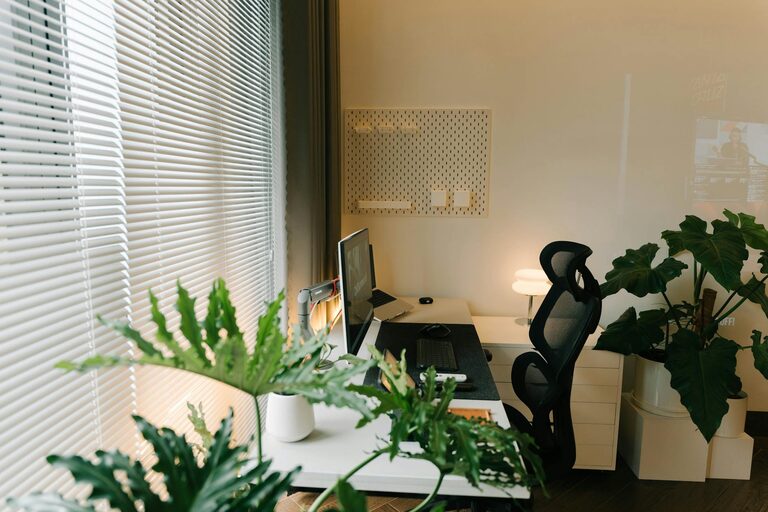
Creating a productive home office environment is essential for anyone working remotely or running a business from home. A well-designed workspace can help you stay focused, reduce stress, and improve overall work quality. Whether you have a dedicated room or just a corner in your living space, these tips will guide you to build an office that supports your productivity and well-being.
Choose the Right Location
Assess Your Space
Begin by selecting a spot that minimizes distractions. Ideally, this should be a quiet area with enough room for your desk and essential equipment. Natural light is a big plus, so try to position your desk near a window if possible.
Consider Privacy and Noise Levels
If you live with others, pick a space where interruptions are less likely. Using noise-cancelling headphones or a white noise machine can also help maintain your concentration.
Invest in Ergonomic Furniture
Desk and Chair
Comfort is key to long work hours. Choose a desk that fits your needs—enough surface area without feeling cluttered. Your chair should support your back well and allow your feet to rest flat on the floor.
Monitor and Keyboard Position
Place your monitor at eye level and about an arm’s length away. A separate keyboard and mouse can reduce strain compared to using a laptop’s built-in keyboard.
Organize for Efficiency
Declutter Regularly
Keep only the essentials on your desk. A tidy workspace helps clear your mind and prevents distractions.
Use Storage Solutions
Shelves, drawers, and organizers can keep papers, supplies, and gadgets out of the way but within reach.
Optimize Lighting
Maximize Natural Light
Exposure to daylight helps regulate your body clock and improve mood. If natural light is limited, supplement with bright, warm artificial light.
Avoid Glare and Shadows
Position lights to avoid reflections on your screen and harsh shadows on your work surface.
Personalize Your Space
Add Plants or Decor
Elements like plants or artwork can make your office feel inviting and boost creativity and well-being.
Keep It Professional
Avoid cluttering the space with too many personal items. Balance personalization with a workspace that feels focused.
Manage Digital Distractions
Set Boundaries with Technology
Turn off notifications for non-essential apps during work hours and use tools like website blockers if needed.
Use a Reliable Internet Connection
Ensure your Wi-Fi or wired connection is stable to prevent disruptions during video calls or file uploads.
Plan Your Workday
Create a Schedule
Set specific work hours and breaks to maintain a healthy routine. Use planners or digital calendars to stay on track.
Designate Zones for Different Tasks
If space allows, create areas for focused work, meetings, and breaks to help your brain switch tasks efficiently.
Prioritize Comfort and Wellness
Take Regular Breaks
Stand up, stretch, or take a short walk every hour to reduce fatigue and improve circulation.
Maintain Good Air Quality
Keep the room ventilated, and consider using an air purifier to create a healthier environment.
Final Thoughts
Setting up a productive home office is a blend of careful planning, organization, and personalization. By following these tips, you can create a space that not only supports your work goals but also makes your time spent at home more enjoyable and fulfilling. Remember that small changes can have a significant impact on your productivity and well-being. Start with what feels manageable and adapt your office over time to fit your needs.