
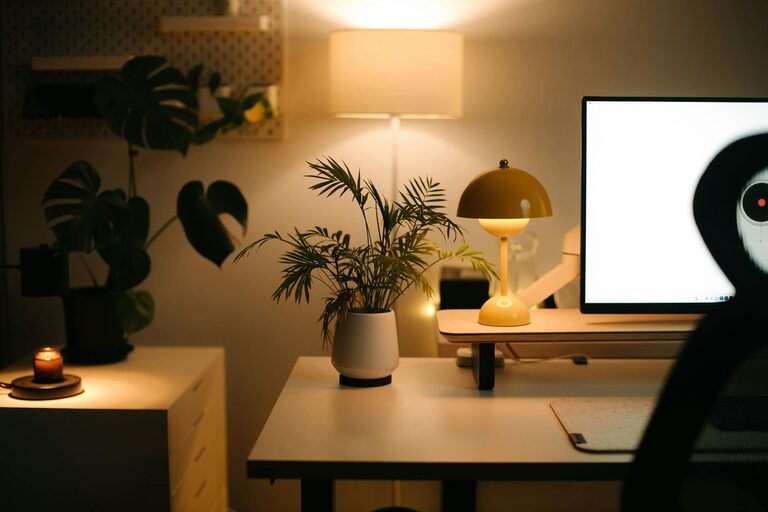
Creating a relaxing home workspace is essential for maintaining productivity, especially as more people work remotely. A well-designed environment can help you stay focused, reduce stress, and make working from home more enjoyable. In this post, we’ll explore practical strategies for designing a workspace that promotes relaxation and maximizes your output.
Why a Relaxing Workspace Matters
Working in a cluttered or uncomfortable space can hinder your concentration and lead to burnout. When your workspace feels peaceful and organized, it sends a signal to your brain that it’s time to focus, making daily tasks feel more manageable. Additionally, a calm environment reduces anxiety and helps you maintain a positive mindset throughout the day.
Choosing the Right Location
Find a Quiet Spot
Identify an area in your home with minimal distractions. If possible, choose a room with a door to separate your work from everyday life. A quieter space helps you concentrate and signals that this is your work zone.
Maximize Natural Light
Natural light boosts mood and energy levels. Position your desk near a window to take advantage of daylight. If natural light is limited, use soft, warm artificial lighting to create a cozy and inviting atmosphere.
Ergonomics and Comfort
Invest in a Good Chair
Comfort is key to staying productive. Choose an ergonomic chair that supports your back and encourages good posture. This can prevent discomfort and reduce the risk of aches or repetitive strain injuries.
Set Up Your Desk Properly
Your desk surface should allow enough space for your computer, accessories, and writing materials. Keep frequently used items within easy reach to minimize distraction and movement.
Monitor Height and Position
Position your monitor at eye level to avoid neck strain. The screen should be about an arm’s length away from your eyes. This helps maintain good posture and reduces eye fatigue.
Declutter and Organize
Keep It Simple
Limit the number of items on your desk to essentials. A tidy workspace helps clear your mind and makes it easier to focus.
Use Storage Solutions
Incorporate shelves, drawers, or desk organizers to keep papers and supplies out of sight. Organizing your materials saves time and reduces stress.
Plan Regular Cleanups
Set a weekly or daily reminder to tidy your workspace. Maintaining order keeps your environment inviting and functional.
Add Relaxing Elements
Incorporate Plants
Houseplants can improve air quality and add a touch of nature to your workspace. Species like pothos, succulents, or peace lilies are low-maintenance options that brighten your area.
Use Calming Colors
Paint or decorate your workspace with soft, neutral colors such as light blues, greens, or beige. These shades promote calmness and reduce mental fatigue.
Personalize Tastefully
Add a few personal touches like framed photos, artwork, or inspirational quotes. These create a welcoming atmosphere without cluttering your space.
Manage Noise and Distractions
Use Noise-Canceling Tools
If background noise is an issue, consider noise-canceling headphones or white noise machines. These tools help block distractions and improve focus.
Set Boundaries
Communicate your work hours and workspace boundaries with family or roommates. This helps prevent interruptions and maintains a professional attitude during work time.
Establish a Routine
Create a Start-Up Ritual
Begin each workday with a routine to mentally prepare yourself, such as tidying your desk, brewing tea, or reviewing your to-do list. This signals the start of focused work.
Take Regular Breaks
Use techniques like the Pomodoro method (25 minutes of work followed by a 5-minute break) to rest your mind and body. Step away from your workspace to stretch or breathe deeply.
End the Day Mindfully
Conclude your day by organizing your workspace and shutting down your equipment. This physically and mentally separates work from leisure time.
Optimize Technology
Minimize Digital Clutter
Close unnecessary tabs and applications to reduce distractions. Use productivity tools and timers to stay organized.
Ensure Reliable Equipment
Invest in quality hardware like a stable internet connection, ergonomic keyboard, or external mouse. Reliable tools prevent frustration and boost efficiency.
Maintain Wellness Habits
Stay Hydrated and Nourished
Keep water and healthy snacks nearby to maintain energy levels.
Incorporate Movement
Integrate short stretches or light exercises to reduce tension and increase circulation throughout the day.
—
By following these tips to create a relaxing home workspace, you can enhance your focus, reduce stress, and enjoy a more productive workday. Remember that creating the ideal environment takes time and personal adjustments, so feel free to experiment until you find what works best for you. A comfortable and calming workspace is a valuable investment in your professional and personal well-being.