
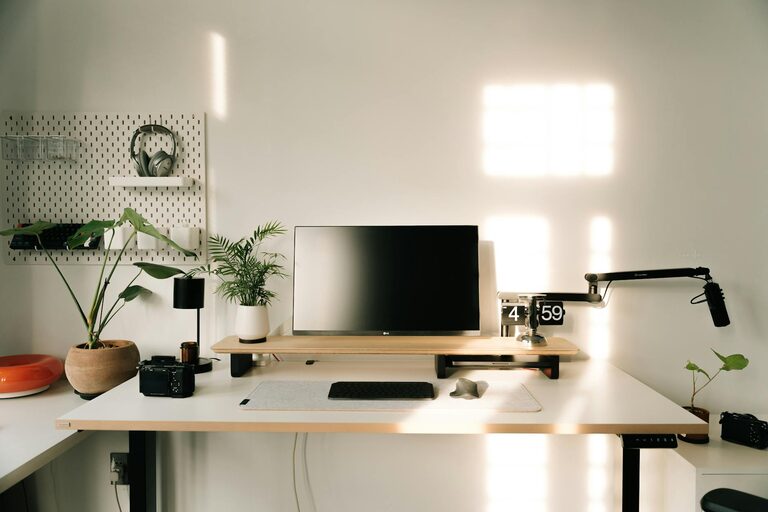
Creating a dedicated and well-organized home workspace plays a crucial role in improving productivity and maintaining focus throughout your workday. Whether you work remotely full-time or occasionally need a space for tasks, having an efficient setup can help you stay motivated and get more done. Here are some practical tips to help you organize your home workspace for better productivity.
1. Choose the Right Spot
Consider Lighting and Noise Levels
Select a place in your home with plenty of natural light, as daylight can improve mood and alertness. Avoid areas with high traffic or noise, which may distract you from your work. If a quiet area isn’t available, noise-cancelling headphones can help.
Dedicated vs Shared Space
If possible, designate a specific area solely for work. Having a dedicated workspace signals to your brain that it’s time to focus when you are there. If space is limited and sharing the area is necessary, establish clear boundaries and routines.
2. Keep Your Desk Clutter-Free
Minimal Essentials
Only keep items you use daily, such as your computer, a notebook, pens, and perhaps a water bottle. Avoid piling up unrelated objects like dishes or clothes.
Use Organizers
Desk organizers, trays, or small containers help keep supplies tidy and accessible. Consider vertical storage solutions like shelves or wall-mounted organizers to free up desk space.
Cable Management
Tangled cords can be visually distracting. Use cable clips, ties, or sleeves to keep wires neat and out of the way.
3. Optimize Ergonomics for Comfort
Chair and Desk Height
Ensure your chair supports your lower back and allows your feet to rest flat on the floor. Your desk height should let your arms bend at about 90 degrees when typing.
Monitor Position
Place your monitor at eye level to avoid neck strain. If you use a laptop, consider a stand and a separate keyboard.
Take Regular Breaks
Set reminders to stand, stretch, or move around every hour. Good posture and breaks reduce fatigue and help maintain focus.
4. Organize Digital Spaces
Desktop and File Management
Keep your computer desktop clean by regularly sorting files into folders. Use clear naming conventions for easy searching.
Use Productivity Tools
Implement digital tools like calendars, task managers, or note-taking apps to keep track of your work and deadlines.
Limit Distractions
Close unnecessary tabs or apps that don’t relate to your current task to maintain concentration.
5. Personalize with Purpose
Add Inspiring Elements
Include simple decorations like plants, photos, or artwork that make the space pleasant without being distracting.
Use Calming Colors
Choose soothing colors for your workspace such as light blues, greens, or neutrals to create a relaxing atmosphere.
Keep It Fresh
Open a window for fresh air or use a subtle diffuser with essential oils to refresh the environment.
6. Plan Your Workspace Layout
Arrange for Workflow
Organize frequently used items within arm’s reach. Keep less-used things stored away but accessible when needed.
Multi-Functional Furniture
Consider desks with drawers or adjustable features to maximize utility and comfort.
Lighting Solutions
In addition to natural light, use adjustable lamps that provide enough brightness without glare.
7. Establish Daily Routines
Start with a Clean Space
Begin your workday by tidying your desk to create a fresh, motivating environment.
End with a Wrap-Up
At the end of your day, organize your workspace for the next day. This helps mentally separate work time and relaxation.
Set Clear Boundaries
Define working hours and stick to them. Communicate this to others in your household if necessary.
—
Organizing your home workspace is more than just tidying up — it’s about creating an environment that supports your focus, comfort, and productivity. By following these tips, you can transform your work area into a space where you can work efficiently and feel good doing it. Remember, small changes can lead to big improvements in your daily workflow.